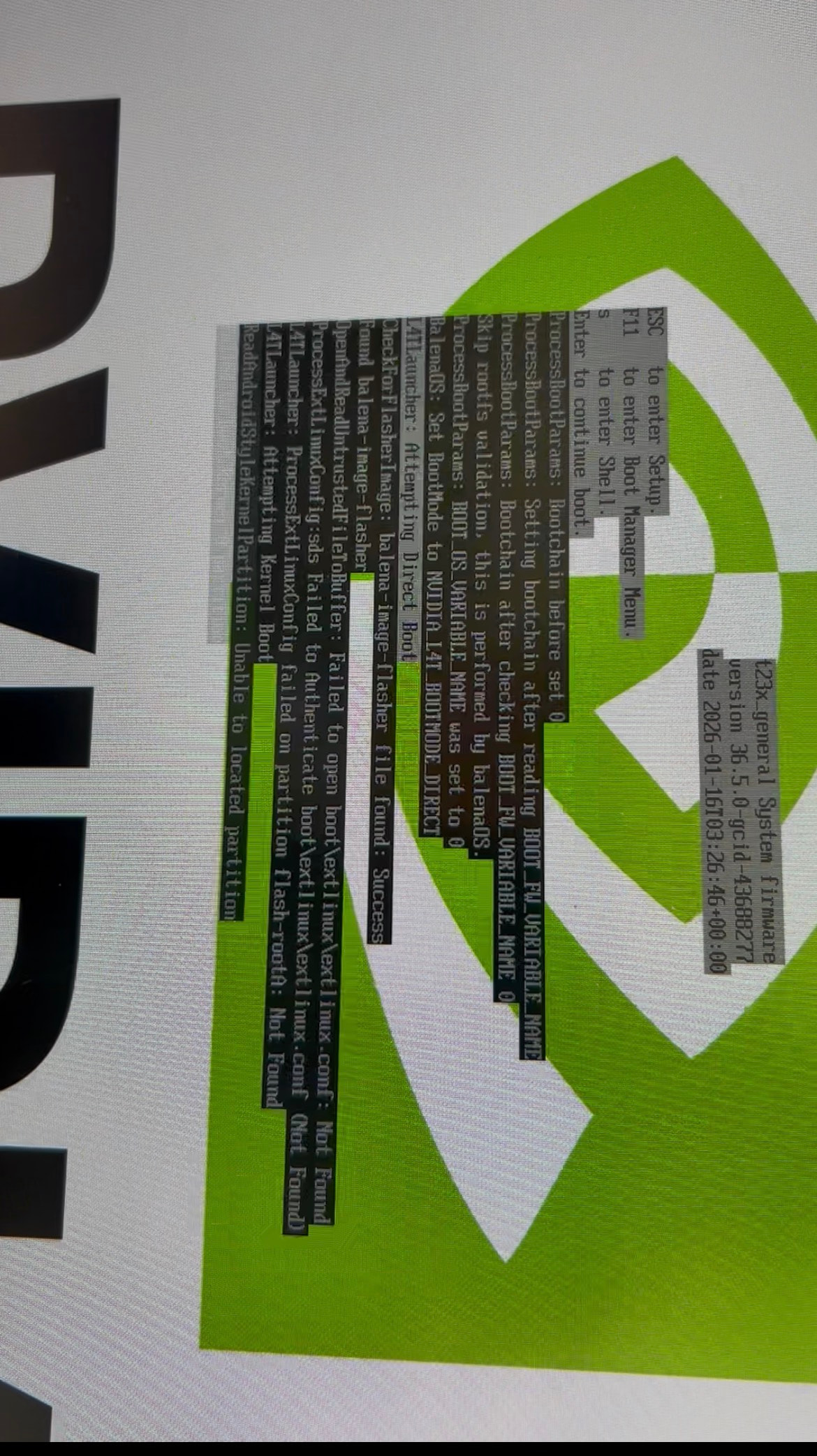
I have been trying to get balenaOS running on my new Jetson Nano Orin for the past two days, but so far, I’ve had no luck.
I was able to flash the latest Ubuntu version.
I’ve installed a 512 GB NVMe drive in the Jetson, and I did not install an SD card. I don’t have a keyboard to connect, but I do have a monitor attached.
Following the guide, I flashed the image onto a USB-A stick and plugged it into the Jetson Nano. However, the Jetson keeps restarting and displays the error:
Hi @jbernavaprah Welcome! Can you tell us what version of BalenaOS you are trying to flash on to the Orin Nano? Additionally, when you flashed the stock ubuntu image onto the device, did you trigger the qSPI update ?
Additionally, when you flashed the stock ubuntu image onto the device, did you trigger the qSPI update
I’m not quite sure. I tried a lot of stuff before writing in the forum.
But at one time, I had the Nvidia Ubuntu working. (I don’t know if this somehow answers your question)
Sorry for the late reply, but it was really challenging to get the SDK Manager working. For anyone else who will have the same issue, you need an Intel/AMD processor (fortunately, my old laptop), and, with it installed, specifically Ubuntu 20.04. Anything else (Mac M series, or a different Ubuntu version) will not work for the SDK Manager for Jetson Orin Nano.
Anyway, following the guide you mentioned, reinstalled the firmware and Ubuntu from scratch on the Jetson (btw, Ubuntu is working), flashed the balenaOS image to the USB stick, and restarted the Jetson Nano, which gave me the same error shown before.
OpenAndReadUnstrustedFileToBuffer: Failed to open boot\extlinux\extlinux.conf: Not found
ProcessExtlinuxConfig:sds Failed to Authenticate boot\extlinux\extlinux.conf (Not Found)
L4TLauncher: ProcessExtLinuxConfig failed on partition flash-rootA: Not Found
Do I need to use the firmware 36.3 specifically?
SDK Manager installed the 36.5.
Is there any specific point of the guide you suggested I should pay more attention to?
Hey @jbernavaprah 36.5 should be OK. Just to confirm, you’ve flashed the USB stick with balenaOS 6.10.26+rev1, and it is booting to that stick, but you’re getting this error right after it boots to the stick?
Correct. I still have the same error as the first image I posted. Nothing changed.
I will try a previous version of balenaOS sometime this evening, and then also a different firmware version on the Jetson Orin Nano.
But in the meantime, I’m happy to give you more details if you need.
After the screen turns off, please also wait for the device to power off - green LED turns off when flashing is completed. Then, remove the USB drive, remove and re-apply power to the device. Make sure a wifi connection was configured when you downloaded the image, or that you have an Ethernet cable connected to the device, so it can connect to the cloud and appear online in your dashboard.
@jbernavaprah to go to the latest version, in the balena-cloud dashboard, select your device and in the left panel click on “Settings”. In the “OS version” section select the latest available release and then click on “Update”.
I’m not seeing this issue with v6.12.2 either, so far it seems like an issue in the UEFI firmware, which fails to mount the ext4 flasher filesystem on the USB drive