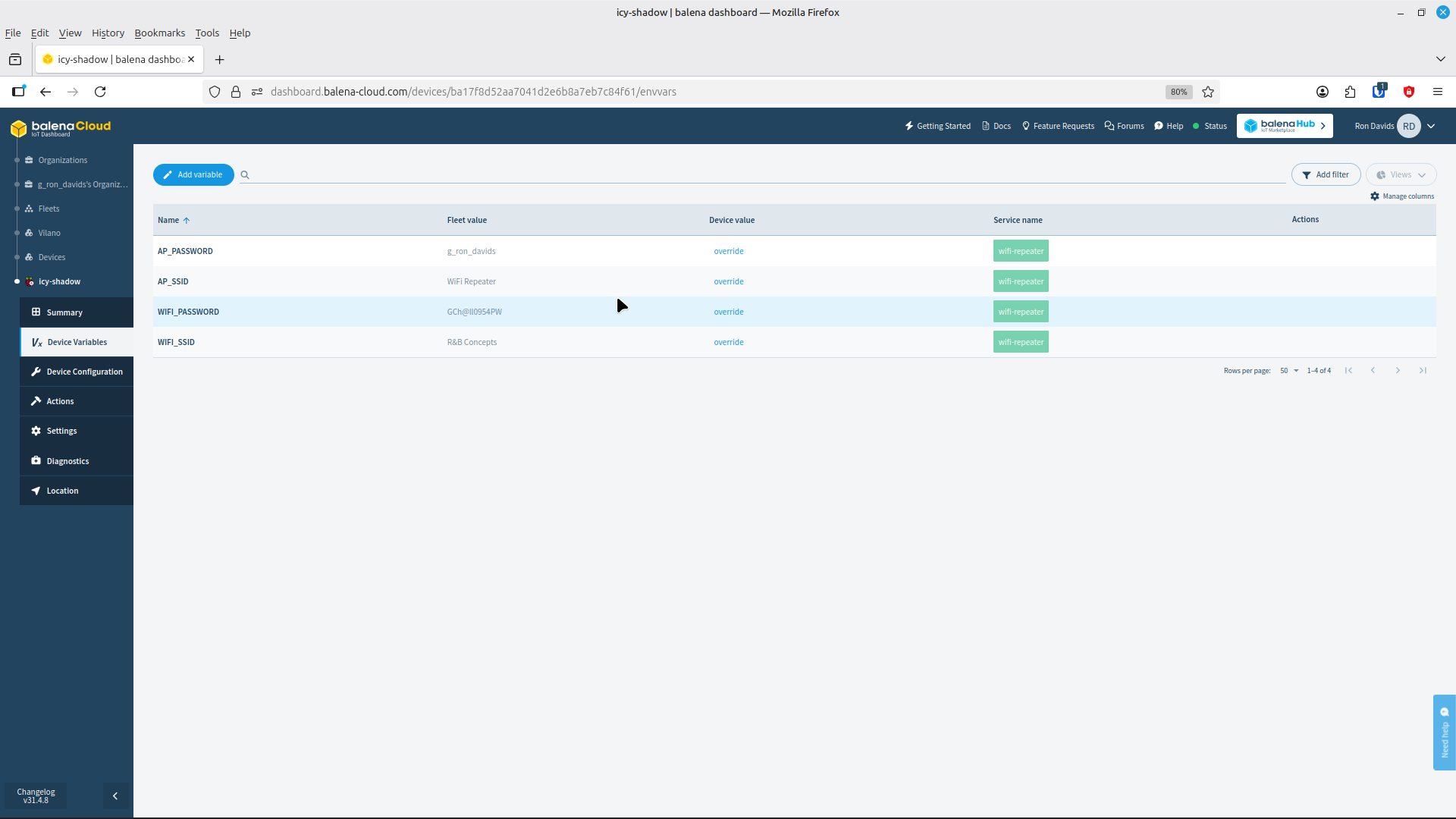
I have hit a dead-end. I’m trying to “push” wifi-repeater-master to my account with no success .I’m using Linux Mint (zara) on a laptop. I have successfully installed Balena CLI, and can login. I have made sure Docker.service is installed on the laptop and running, have been to many blogs, googled problem with no success. I’ve made sure that all the software is the correct version, etc.All three files mentioned in the screen shot are in the wifi-repeater-master folder. Any help would be appreciated. Thanks
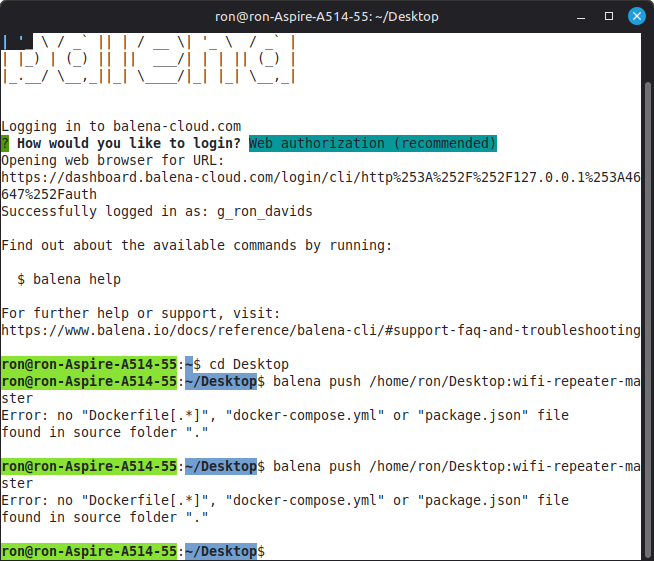

Make sure you are inside the project’s root folder (the one that contains the Dockerfile, docker-compose.yml, or balena.yml).
From there, run the command:
balena push <UUID>
You can find the UUID of your device or fleet in your Balena Cloud dashboard (under your fleet name or device details).
cd wifi-repeater-master
balena push 1234567abcdef
Thank You very much for replying, rojasyal. Your explanation makes perfect sense, however, again I receive an error massage….“BalenaAplicatioNotFound”. Beginning to wonder if I was meant to complete this project. 

I think I got it to build. Rather than- balena push , I tried balena push / and it worked, however I can’t get my device to connect to the cloud now. Another problem for another day. Thank You for taking the time to help me…made me realize I needed credentials on the cloud end…kudos to you!

Just a quick note that balena push does not accept device UUID directly. You’ll want to use either your fleet name/slug (for cloud deploy) or the device’s IP / .local hostname (for local deploy). You can check examples at balena push --help.
If the device won’t come online, feel free to share a bit more detail. That’s likely a separate setup issue but we and the community could still help troubleshoot.
Good Evening rojasyal. Thanks for the reply, I appreciate it. I spent the Day “starting over”, and have discovered that Balena won’t stay connected to my router in wireless mode, but does fine with an ethernet cable. It starts up in AP mode, and my goal is repeater mode. I’m using the Raspi built in wifi module and have added another wifi usb dongle. I don’t know how to access the hardware details in the Balena OS….standard Raspian commands don’t work. So, Thanks again for your support. I’ll keep at it.
Hi! No worries
Just to clarify — the correct command is:
balena push <fleet_name>
(Replace <fleet_name> with the actual name of your fleet).
About the WiFi issue: it’s probably not connecting because the environment variables for repeater mode haven’t been defined yet. You need to set them in Balena Cloud under your device or fleet Environment Variables

Also, if your USB WiFi dongle isn’t detected, you should expose it in your docker-compose.yml like this:
devices:
  - /dev/ttyUSB0:/dev/ttyUSB0