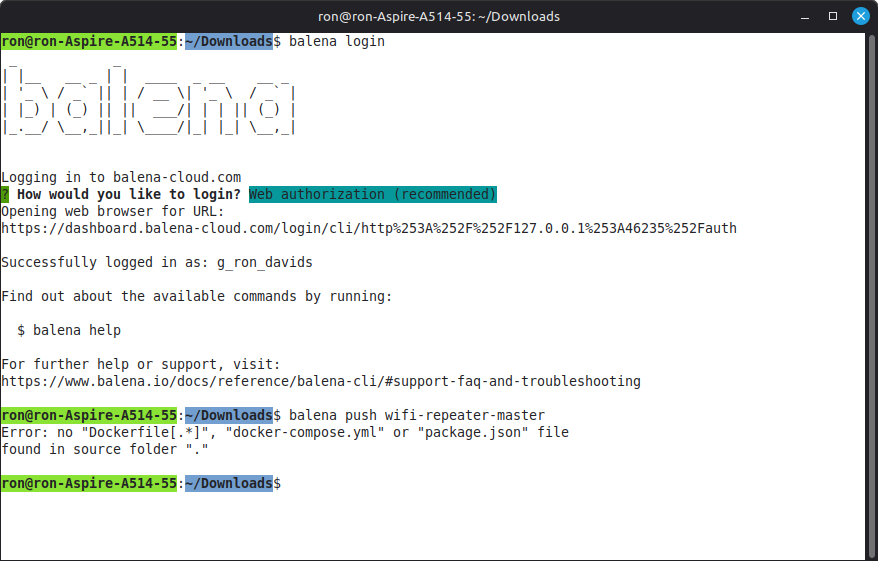
Hi, it’s my first time following this tutorial to deploy pi-hole with Balena on my raspberry pi 4.
I was originally using a Linux Pop OS device to set this up, but kept having difficulties downloading files and software, so I switched to a Windows 11 device to set this up.
I made it to the step “Pushing the project code to your Raspberry Pi”, which follows the step of setting up the Balena CLI on Windows using this documentation.
*I admittedly may have not setup the CLI correctly. I downloaded the newest version Docker desktop version 4.37.1 (178610) – the documentation says you should Downgrade Docker Desktop to version 18.06.1. - but I don’t know how to do that TBH. *
I downloaded and unzipped the balena pihole github project, and on Windows Powershell, I CD’d into the unzipped directory and executed balena push <appName>.
I receive the following error;
Error: no "Dockerfile[.*]", "docker-compose.yml" or "package.json" file
found in source folder "."
When I examine the balena-pihole-main files, there is;
- docker file
- a docker-compose.yml file
- renovate.json file (NO package.json file)
What could be the issue?